
Guides
Site builders and no-code tools
Any site and any no-code tool can take a payment with a payment link. It needs no plug-in, no script and nobody's approval, because it is an ordinary link.
The recipe
- Create a payment linkIn the Orrerie dashboard choose Payment links, then Create payment link. Payment links describes every field.
- Copy itThe result screen has Copy link. The address looks like
https://.pay.orrerie.com/ l/ plink_… - Add a button to your pageIn your builder add a button block, or select some text and make it a link.
- Paste the link as the button's addressLabel the button "Pay with crypto". Choose to open it in the same tab or in a new tab.
- Publish, then press itYou should arrive on your link's page at
pay.orrerie.com.
That is the whole integration. The price lives on the link at Orrerie, so nothing on your page can change it.
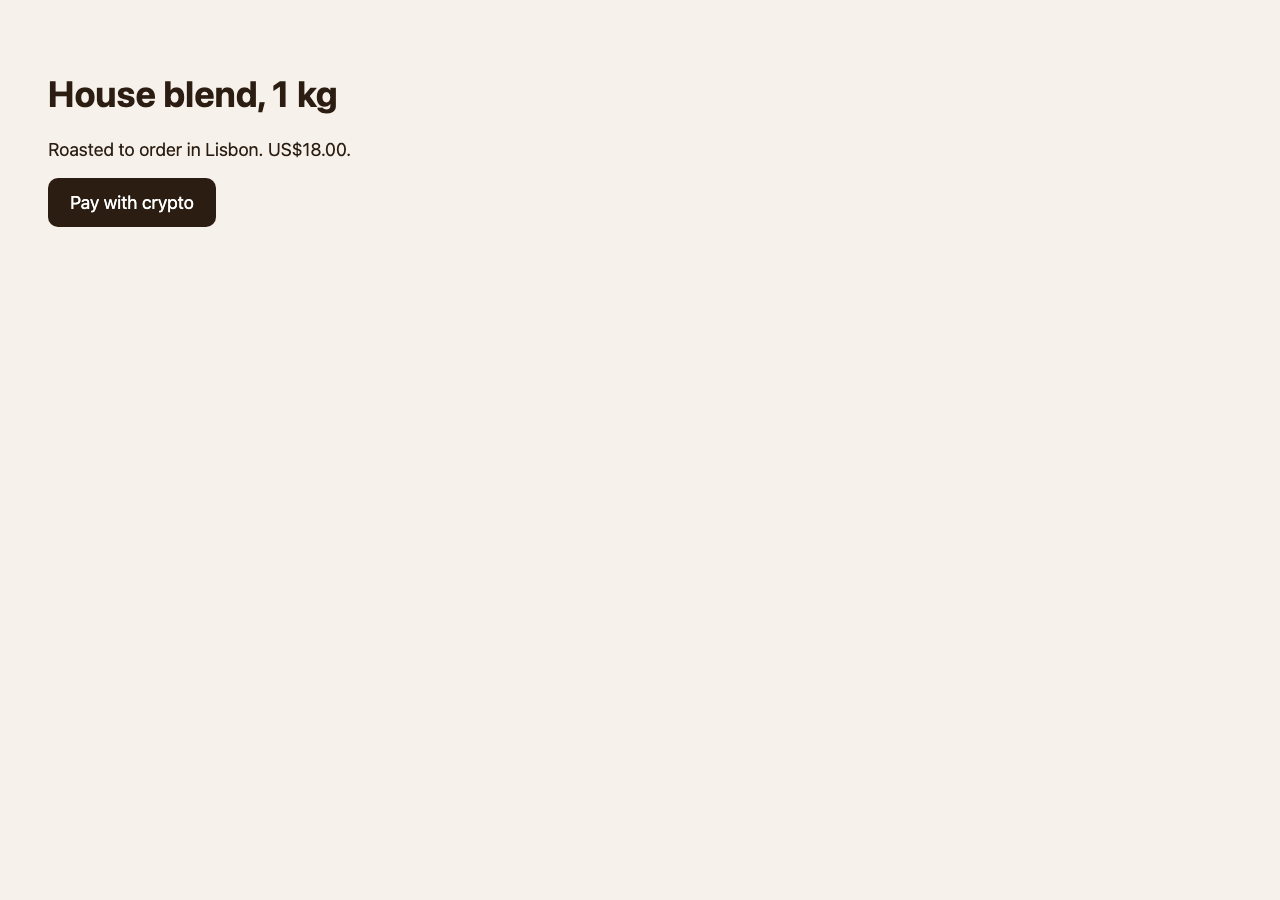
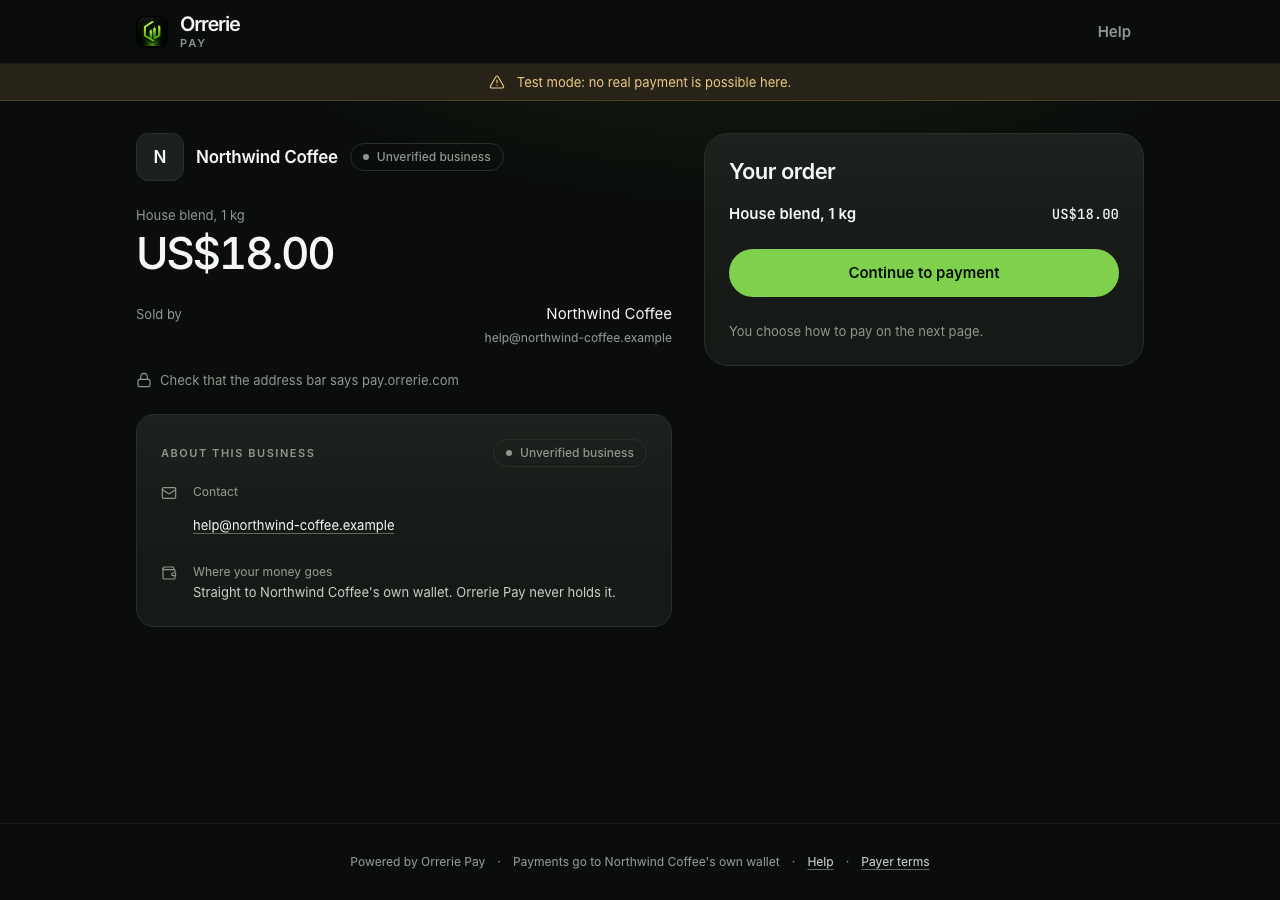
Where a link works
| Place | How |
|---|---|
| A button block | Paste the link as the button's address. |
| A text link or a menu item | Make the words a link to it. |
| An image | Link the image to it. |
| An email or a newsletter | Use the link behind a button or a line of text. It works with images off. |
| A link-in-bio page | Add it as one of the links. |
| Download the link's QR code from the dashboard, as PNG or SVG. | |
| A PDF, a quote or a bill | Paste the link, or place the QR code. |
If your builder accepts HTML
An HTML block can hold the same link, which you can then style:
HTML
<a href="https://pay.orrerie.com/l/plink_gg6as78pk82ndt25m36vjeey">Pay with crypto</a>Some builders also allow a script. The button script draws the button for you and can pass a quantity or a reference. It needs your builder to allow a script from pay.orrerie.com, and a plain link does everything most sites need.
What not to try
- Do not put the checkout in a frame or an embed block. Orrerie's payer pages refuse to load inside another page, so the block would stay empty. Open the link in the same tab or in a new tab.
- Do not show "paid" from the page the buyer comes back to. Anyone can open that address. You learn of a payment from the Orrerie dashboard, from its Order paid email if you switch it on under your notification settings, or from the
order.paidwebhook.
Pass something along
Add a reference of your own to the end of the link to tell payments apart, for example one link on several pages:
Address
https://pay.orrerie.com/l/plink_gg6as78pk82ndt25m36vjeey?reference=spring-saleThe reference is kept with the payment as the client_reference_id of its checkout session. The hosted checkout lists the other parameters a link's page reads.